ExoClick Tracker
with Spend Sync and Smart Bid
Connect ExoClick with your API token and run popunder campaigns from one dashboard: paused campaigns from templates, Smart Bid with a target CPA per country, whitelist zones at creation, and the spend ExoClick reports pulled into your costs whenever you ask for it.
Registration is by invitation during the private launch. Request access and we will be in touch.
What the ExoClick integration does
ExoClick is the one network of the five where ClicksTracker reads the spend back, and one of two, with PropellerAds, where zone optimization can work inside a whitelist.
Paused popunder campaigns
Auto-Create builds ExoClick popunder campaigns from the iOS, Android and Desktop templates for up to 50 countries in one batch, one campaign per template and country, created paused with your Campaign URL attached. If the URL cannot be attached, the Auto-Create report marks that row Needs Attention.
Smart Bid with a target CPA per country
Besides Smart CPM and CPM, the Smart Bid CPA tab gives every country its own target CPA against one of your ExoClick conversion goals, and can suggest each one from the payouts your own conversions show.
Whitelist zones at creation
Type up to 100 target zones, or load a zone list you saved from a report, and the campaign is created as a whitelist campaign. Leave the list empty and it runs on the whole network.
Zone optimization that respects a whitelist
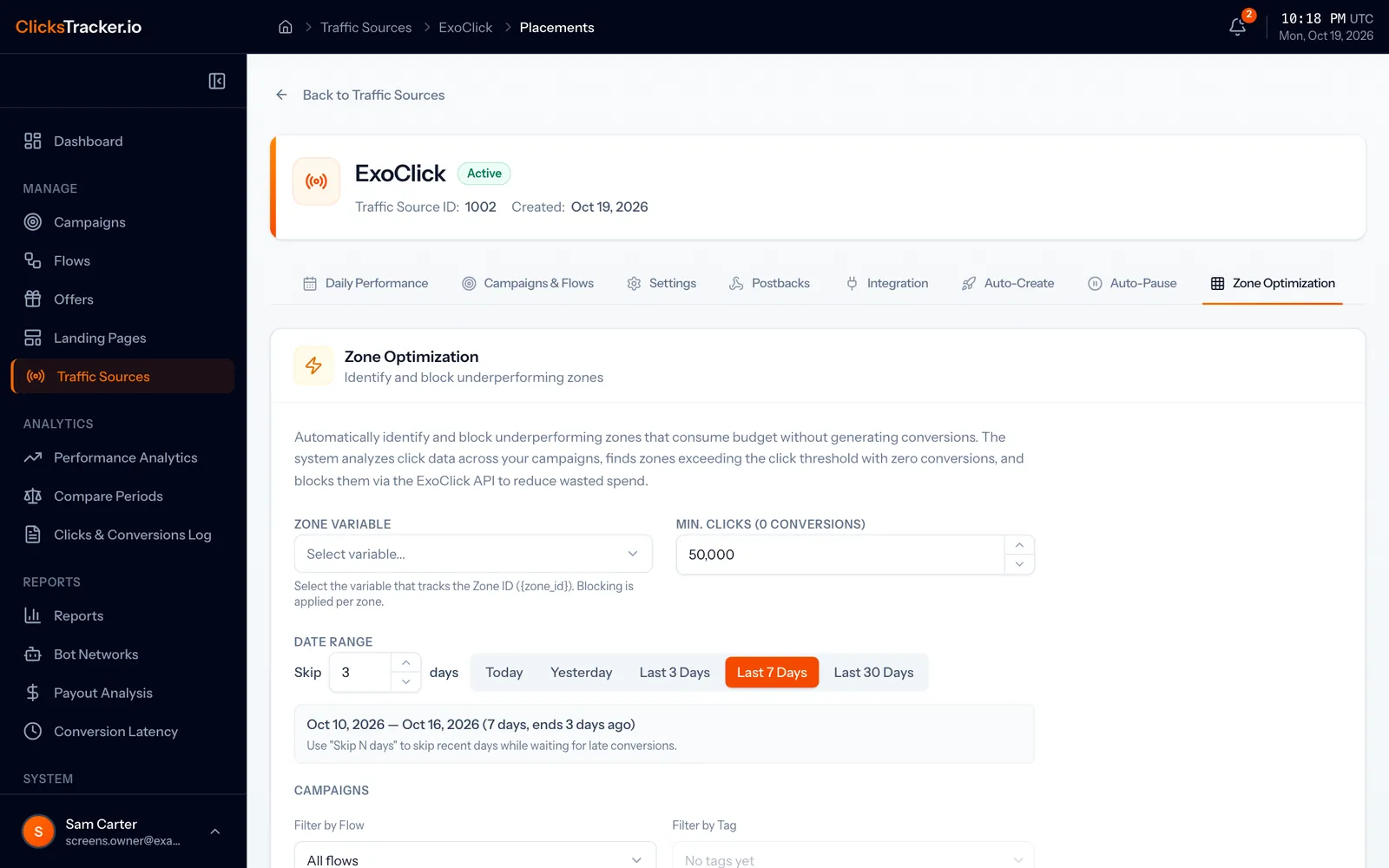
Zones that reach your click count without a conversion are blocked, or taken off the whitelist on a whitelist campaign, never down to an empty one. Protected zones stay, and the rule can run on a schedule for every campaign of a tag.
The spend ExoClick reports
Traffic Source Sync compares the cost ClicksTracker holds with the spend ExoClick reports for each campaign over yesterday, the last 3 days or the last 7 days, and on your confirmation writes ExoClick's figure into the click costs of that range.
Bids that keep the pricing model
Set Bids finds each campaign's minimum from ExoClick's answer, and Boost Bids raises bids by up to 100% on the campaigns that pass your ROI, click or tag filter, both after a preview. A Smart Bid campaign keeps its target CPA through every bid change.
The ExoClick tokens in your link
ClicksTracker builds the Campaign URL from the tokens you set on the traffic source. The step by step ExoClick tracking guide walks through every field.
The click id
{conversions_tracking} goes in eid and is stored with the click for
the return postback. It runs from 150 to 700 characters, and ClicksTracker keeps it whole,
because ExoClick rejects a shortened one.
Zones and sites
{zone_id} and {site_id} fill two of your 10 custom variables, and the
zone tabs and zone optimization read the zone from there. {campaign_id},
{variation_id}, {country}, {format} and
{actual_cost} fit in the others.
The postback to ExoClick
Create a conversion goal of the type Conversion Tracking API (S2S) and put its id in
s.magsrv.com/tag.php?goal=YOUR_GOAL_ID&tag={external_id}&value={payout}.
ExoClick reads the value only for a goal with a dynamic value. The
postback setup guide lists every token.
What works on ExoClick, and what does not
Every item on the left runs through the ExoClick API on every plan, for the campaigns you create with Auto-Create. The right side is what you still do by hand.
Through the API
- Auto-Create of paused popunder campaigns on Smart CPM, CPM or Smart Bid, with a frequency cap and OS targeting
- Up to 100 whitelist zones per campaign at creation
- Zone blocking, with Whitelisted Zones and Blocked Zones tabs on every linked campaign
- Zone optimization, inside a whitelist too, and on a schedule if you want
- Set Bids with minimum detection, and Boost Bids
- Auto-Pause by ROI, minimum clicks and minimum spend: you confirm, ExoClick pauses, and the tracker archives each paused campaign
- Campaigns Sync: pause or start at ExoClick, archive or restore in the tracker
- Traffic Source Sync of the spend, for up to the last 7 days
Not supported, or by hand
- Auto-Create builds popunders only. Other formats are created in ExoClick and tracked through the Campaign URL, without the API automation.
- The frequency cap is set at creation. Change it later in ExoClick.
- The spend pull runs when you start it. No schedule runs it.
- Smart Bid runs on a target CPA per country.
- Blocking works on zones, not on whole sites.
From API token to first zone list
Three steps to start tracking your ExoClick campaigns with every click, conversion and cost in one place.
Paste your API token
Save the API token from your ExoClick dashboard on the traffic source's Integration tab and click Test Connection. ClicksTracker exchanges it for a session and signs in again when ExoClick ends that session.
Create paused campaigns
Pick templates, countries and a bid, or a target CPA per country on the Smart Bid CPA tab. When ExoClick refuses a zone or names a higher minimum, ClicksTracker adjusts and tries again, up to three times.
Track, trim and match the cost
Read zones, sites and countries in reports that update in near real time, block or trim the zones that only spend, and pull ExoClick's spend when you want the cost to match it.
ExoClick tracking questions
Which ExoClick campaigns can Auto-Create build?
Popunder campaigns (advertiser ad type Popunders) from the iOS, Android and Desktop templates, on the Popunder, Mobile Popunder and RTB Popunder Supply zone types, priced Smart CPM, CPM or Smart Bid with a target CPA. Each one is created paused. Campaigns in other ExoClick formats are not built by Auto-Create. You can still track them through their Campaign URL, without the API automation, which acts on campaigns created with Auto-Create.
How does the ExoClick spend pull work?
Open System, Cost Update, Traffic Source Sync and pick yesterday, the last 3 days or the last 7 days. ClicksTracker reads each campaign's spend from ExoClick's hourly statistics in UTC and shows it beside the cost the tracker holds. When you apply it, the click costs of that range are replaced and each day's spend is spread over that day's human clicks. You start it each time; no schedule runs it.
How are the Smart Bid target CPAs suggested?
On the Smart Bid CPA tab, Fill CPAs from payouts takes the average payout of the flow's conversions from each country over the last 90 days and subtracts the profit margin you set (40% to start with). A country with fewer than 5 conversions is left for you to fill in, and Smart Bid needs one of your ExoClick conversion goals.
What does zone optimization do on an ExoClick whitelist campaign?
It removes the losing zones from the whitelist instead of blocking them, and it never removes the last one, because an empty ExoClick whitelist runs on the whole network. ExoClick and PropellerAds are the two networks of the five where zone optimization works inside a whitelist.
How is a Smart Bid campaign costed?
At its target CPA for each conversion, until you pull the spend of a date range from ExoClick. The pulled spend is then the cost of that range, and a conversion adds no target CPA on top of it, whether it arrived before the pull or after.
Ready to scale your ExoClick campaigns?
The full ExoClick integration, Smart Bid and the spend pull included, is on every plan.
Registration is by invitation during the private launch.