Galaksion Tracker
for Popunder Campaigns
Connect Galaksion with your account email and password. ClicksTracker creates pops campaigns with a rate per geo, holds them after moderation until you start them, and blocks or whitelists zones through the Galaksion API.
Registration is by invitation during the private launch. Request access and we will be in touch.
What the Galaksion integration does
Galaksion signs in with an email and a password, prices by geo and keeps one zone list per campaign. The integration works within all three.
Pops campaigns from templates
The iOS, Android and Desktop templates carry platform targeting, frequency capping and a $25 daily budget preset. Add OS versions and up to 50 countries, each with its own rate, in one batch.
Smart CPM, held after moderation
One switch picks the CPM or Smart CPM (SCPM) business model, and it starts on Smart CPM. Each campaign goes through Galaksion's moderation and then waits for you instead of starting by itself.
One zone list, used one way
A Galaksion campaign blocks zones or allows only some, never both. ClicksTracker checks which before every zone change, so a block never replaces a whitelist and a whitelist never replaces your blocked zones.
Zone optimization & cost tracking
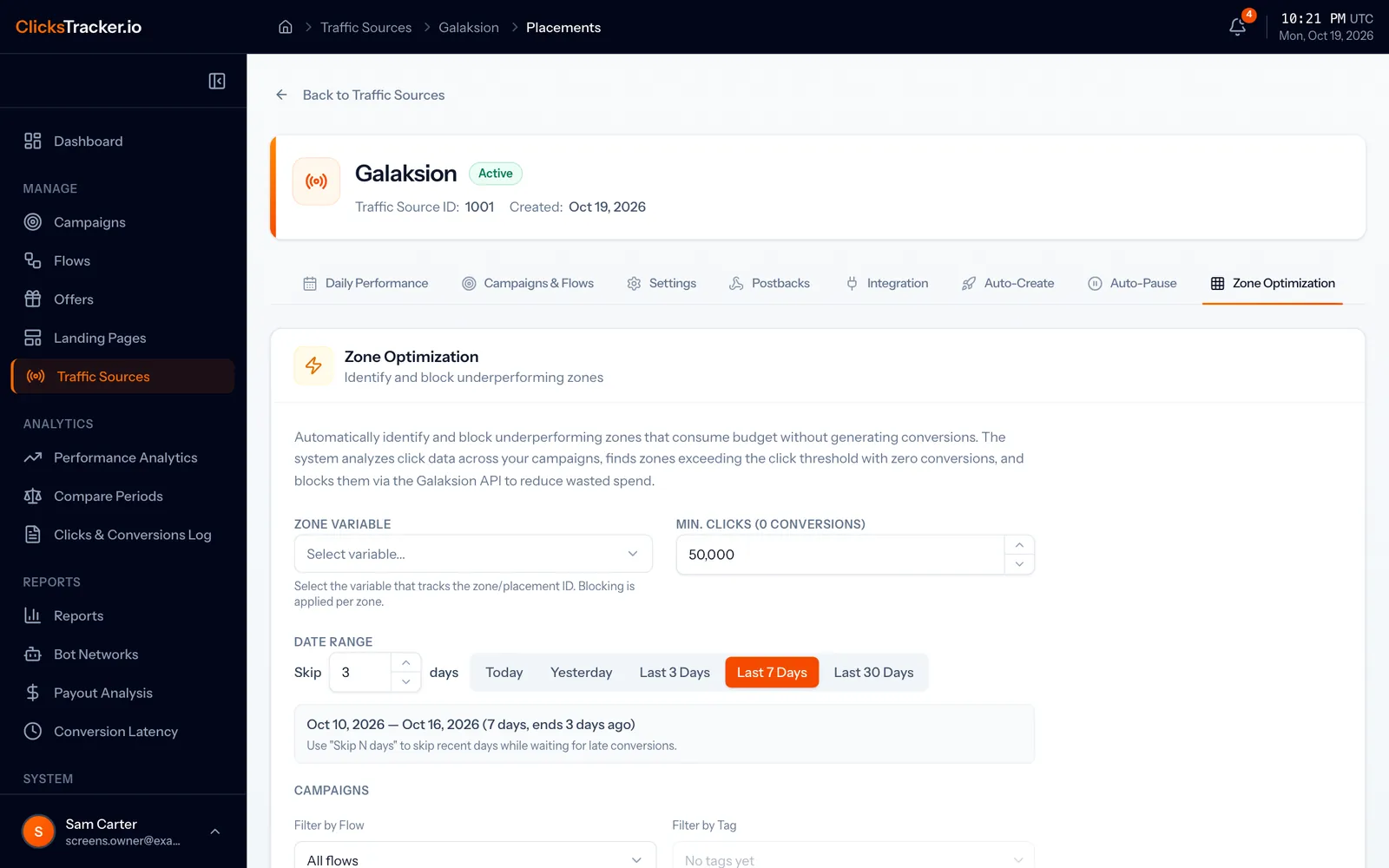
Zone optimization blocks the zones that spend without converting, on a schedule if you want. Auto-Create records each campaign's bid as its cost. A cost value Galaksion sends in the campaign link replaces it unless you untick the Cost row of the traffic source, and Manual Update replaces either with the total you enter for the dates you pick.
Rates per geo
Galaksion has no single bid field: every geo group carries its own rate. Boost Bids rewrites each group at the raised rate after you preview it, and Set Bids finds the minimum by asking Galaksion.
One postback URL for every campaign
Galaksion's postback URL is the same for all your campaigns. ClicksTracker sends it the
Galaksion click id it stored and the payout; leave out price to keep the rate
set in Galaksion.
The Galaksion tokens in your link
Set the tokens on the traffic source and every Campaign URL carries them. The step by step Galaksion tracking guide covers each one.
The click id
[:click_id] goes in eid and is stored with the click, so the postback
can return it to Galaksion.
Zones and campaigns
{zoneid} and {cid} fill v0 and v1, and
{geo} and {creative_id} fit in the other variables.
The Cost row
While the Cost row is ticked, the link ends in &cost={cost}. On a CPM
campaign ClicksTracker divides that number by 1000, so a per click amount would read 1000
times too low, which is why the guide has you untick it.
The postback goes to postback.report/postback?cid=YOUR_ID&click_id={external_id}&price={payout};
the postback setup guide lists every token.
What works on Galaksion, and what does not
What runs through the Galaksion API on every plan for the campaigns you create with Auto-Create, and where Galaksion or the integration draws a line.
Through the API
- Auto-Create of pops campaigns on CPM or Smart CPM, with OS versions, frequency cap and daily budget
- A rate per geo, Set Bids by asking Galaksion for the minimum, and Boost Bids
- Zone blocking or a zone whitelist per campaign, from the Blocked Zones and Whitelisted Zones tabs
- Zone optimization on blocklist campaigns, on a schedule if you want
- Auto-Pause by ROI, minimum clicks and minimum spend, once you confirm the list
- Campaigns Sync: start or pause at Galaksion, archive or restore in the tracker
Not supported, or by hand
- A campaign cannot block zones and whitelist others at the same time.
- Zone optimization leaves a Galaksion whitelist alone. It trims a whitelist only on ExoClick.
- No API token: the integration signs in with your account email and password.
- ClicksTracker does not read spend back from Galaksion.
- The frequency cap is set at creation. Change it later in Galaksion.
From sign in to blocked zones
Three steps from a Galaksion login to campaigns whose clicks, conversions and zones you read in one place.
Connect your account
Enter your Galaksion account email and password on the traffic source's Integration tab and click Test Connection, which signs in to the Galaksion API with them.
Create, then start
Pick templates, geos and rates. Once Galaksion approves a campaign, start it from the Campaigns Sync tab with Start at traffic source.
Track and optimize
Read the zone breakdown from {zoneid} and block the zones that only spend.
See which zones and creatives drive the most conversions and scale your winners.
Galaksion tracking questions
Why does Galaksion need my account email and password?
The Galaksion API signs in with the account email and password and has no separate API token. ClicksTracker stores both encrypted and signs in to get a session token. Galaksion is the only one of the five integrated networks that works this way.
Can a Galaksion campaign have a blocklist and a whitelist?
One or the other. A Galaksion campaign holds one zone list, used either to block zones or to allow only them, and writing the other kind replaces it. ClicksTracker reads the mode first and refuses a change that would turn one into the other, so blocking a zone never opens a whitelist campaign to every zone.
Do Galaksion campaigns start on their own after moderation?
No. Auto-Create sends each campaign with start after moderation turned off, so a campaign Galaksion approves waits. Start it on the traffic source's Campaigns Sync tab: select it, click Start at traffic source and confirm.
Which click id token does Galaksion fill?
The Galaksion dashboard lists [:click_id], while one of its guides writes {click_id}. Send one test conversion, then open View Postback Log on the traffic source's Postbacks tab: if the Request URL shows the token itself after click_id= instead of an id, switch to the other form.
How does Set Bids find the Galaksion minimum?
Galaksion publishes no minimum bid, so Set Bids sends a very low rate, reads the minimum from Galaksion's answer and sets the campaign to it. ClicksTracker applies no floor of its own to Galaksion bids.
Ready to scale your Galaksion campaigns?
The Galaksion integration comes with every plan, with nothing to add on.
Registration is by invitation during the private launch.