PropellerAds Tracker
for Onclick Campaigns
Connect PropellerAds with your API token. ClicksTracker creates onclick (popunder) drafts with a bid per country, excludes the zones that only spend, and sends your conversions back to PropellerAds through an S2S postback.
Registration is by invitation during the private launch. Request access and we will be in touch.
What the PropellerAds integration does
PropellerAds prices each country on its own and gives each campaign one zone list, a whitelist or a blocked list. The integration follows that shape.
Onclick drafts from templates
The iOS, Android and Desktop templates set the onclick format, OS targeting and a $30 daily budget preset. Pick Websites, Direct Click or Social Traffic and up to 50 countries, and each campaign stays a draft at PropellerAds until you start it.
CPM or Smart CPM, one switch
The rate model is CPM or Smart CPM. OS versions and a frequency cap go in at creation, and the budget follows in a second call, because PropellerAds does not accept it when a campaign is created.
A bid per country, minimum included
At creation, a bid PropellerAds refuses as too low is raised to the minimum its answer names, and that bid becomes the campaign's cost. Set Bids finds the minimum of a live campaign, and Boost Bids raises the bids of the campaigns that pay, after a preview.
Blocked zones or a whitelist
Zone optimization blocks the zones that spend without converting, or removes them from the whitelist of a whitelist campaign. A rule can follow every current and future campaign of a tag, run on a schedule, and skip a campaign PropellerAds reports as not running.
Cost from the bid or your total
ClicksTracker does not read spend back from PropellerAds. A campaign from Auto-Create is costed at its CPM bid, a number PropellerAds fills into the cost parameter of the link takes its place, and Manual Update sets the cost of any date range to the total you enter.
Postbacks for CPA Goal
PropellerAds needs an S2S postback for CPA Goal and Smart Optimization. ClicksTracker sends
the click id PropellerAds passed as visitor_id, with the payout, for the
conversions you choose to send.
The PropellerAds tokens in your link
Map the tokens on the traffic source once and every Campaign URL carries them. The step by step PropellerAds tracking guide shows each field.
The click id
${SUBID} goes in eid. ClicksTracker stores it with the click and
hands it back to PropellerAds in the postback.
Zones and campaigns
{zoneid} and {campaignid} fill v0 and v1;
{bannerid}, {zone_type}, {country}, {os}
and {cost} fit in the other variables. PropellerAds renamed some tokens in its
documentation in September 2026, so follow the list under the Target URL field of your
campaign.
The postback to PropellerAds
Copy aid and tid from the Tracking tab (Other tracker or CPA network)
into ad.propellerads.com/conversion.php?aid=YOUR_AID&pid=&tid=YOUR_TID&visitor_id={external_id}&payout={payout}.
The postback setup guide lists every token.
What works on PropellerAds, and what does not
The left list runs through the PropellerAds API on every plan, for the campaigns you create with Auto-Create. The right list is what the API does not offer or what stays in your PropellerAds account.
Through the API
- Auto-Create of onclick drafts on CPM or Smart CPM, with traffic type, OS versions, frequency cap and daily budget
- A bid per country, raised to the minimum PropellerAds names when it is too low
- Blocked zones or a whitelist of up to 1000 zones, by hand and through zone optimization
- Set Bids and Boost Bids, each previewed before it applies
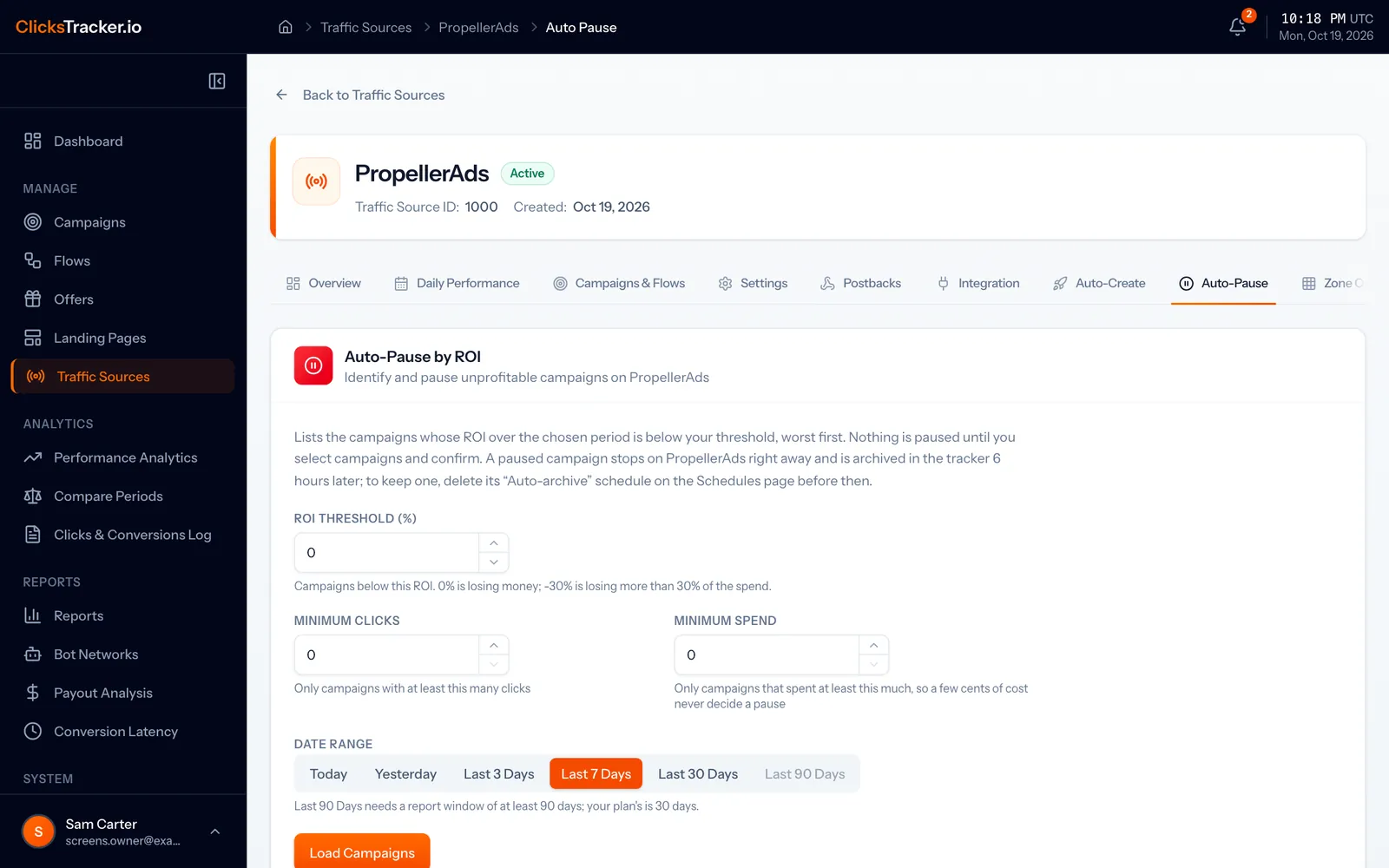
- Auto-Pause by ROI, minimum clicks and minimum spend, once you confirm the list
- Campaigns Sync: pause or start at PropellerAds, archive or restore in the tracker
Not supported, or by hand
- A campaign runs on a whitelist or on blocked zones, never both, as PropellerAds allows one zone list per campaign.
- Auto-Create builds onclick campaigns only. Push and other formats are created in PropellerAds and tracked through the Campaign URL, without the API automation.
- Proxy (VPN) and connection type targeting are set by hand in PropellerAds.
- Frequency cap and budget are set at creation. Later changes are made in PropellerAds.
- Boost Bids raises the first rate group of a campaign, which is all of a campaign Auto-Create made (one country each).
From API token to excluded zones
Three steps from a PropellerAds token to campaigns whose clicks, conversions and zones you can read in one place.
Connect your API token
Paste the API token from your PropellerAds account on the traffic source's Integration tab. Test Connection checks it by reading your campaign list.
Create onclick drafts
Choose templates, a traffic type and your countries with a bid each. The drafts carry your
Campaign URL with the tokens you mapped, ${SUBID} among them.
Track and optimize
Break the stats down by {zoneid} and exclude the zones that only spend.
See which zones and creatives drive the most conversions and scale your winners.
PropellerAds tracking questions
Which PropellerAds campaigns can Auto-Create build?
Onclick (popunder) campaigns from the iOS, Android and Desktop templates. The format comes from the template, and the rate model is CPM or Smart CPM. Auto-Create does not build push campaigns. You can still track one by putting the Campaign URL into a campaign you create in PropellerAds, without the API automation, which acts on campaigns created with Auto-Create.
Can I whitelist PropellerAds zones?
Yes. A PropellerAds campaign runs on a whitelist or on a blocked zone list, never both. Auto-Create can start it on either, with up to 1000 zones, and the Whitelisted Zones tab adds or removes zones on a live campaign or copies in a PropellerAds zone group. On a whitelist campaign, zone optimization removes the losing zones from the whitelist instead of blocking them, and it never removes the last one, because an empty whitelist runs on every PropellerAds zone.
What happens when my bid is under the PropellerAds minimum?
Auto-Create sends your bid first. If PropellerAds refuses it, ClicksTracker reads the minimum from the answer, uses the higher of the two and records that bid as the campaign's cost. Later, Set Bids can find the minimum of a campaign Auto-Create made and set it.
Can I set PropellerAds budgets and frequency caps from ClicksTracker?
At creation, yes. The daily budget is applied in a second call right after the campaign is created, because PropellerAds does not take it in the create call, and the frequency cap counts impressions per user per 24 hours. Later changes to either are made in PropellerAds.
Does archiving a campaign in ClicksTracker stop it at PropellerAds?
Yes, within a minute. Archiving queues a pause at PropellerAds, and Undo on the archive message cancels it. If PropellerAds refuses the pause, you get a notice. The Campaigns Sync tab of the traffic source also pauses or starts campaigns at PropellerAds right away.
Ready to scale your PropellerAds campaigns?
The PropellerAds integration and every automation on it are part of every plan.
Registration is by invitation during the private launch.